
Archive for the 'Applications' Category

Sidekick 3 Catalog Purchases Not Transferring to Sidekick LX?

Monday, October 1st, 2007

Busy news day here at Hiptop3… Boy Genius Report has updated their initial look at the Sidekick LX with some new information, that’s somewhat saddening.

“A couple early findings from our Sidekick LX…all ringtones, games, and applications do not transfer over from a Sidekick 3. This mean you’ll need to repurchase everything again. There is a chance this might change as the device is not publicly available, but we doubt it. Also, at this point in time, the Sidekick LX’s Catalog is heavily lacking content…whether developers won’t need to, or haven’t recompiled the apps and games yet, there is only a short few available things to purchase currently in the Application and Games folders.”

They do not say whether it’s displaying that dialog that says something similar to “All your previous purchases will not transfer over to your Sidekick” or if they don’t transfer over simply because they are not yet updated for the Sidekick LX. …More information as it unfolds.

via Boy Genius Report

*update*
From phonemaverick’s “Downloading games & apps” YouTube’s video comments..

BGR is right… for an item to work on a new device, developers must essentially create a new app. So, they charge users to download it to new devices. This started with sidekick/hiptop3. If you download an app to a sk/ht3 and lose the device, you can get a new sk/ht3 and the apps will automatically redownload for FREE. BUT if you switch device types (e.g. sk/ht3 to lx or slide), you may need to pay for those apps to work on your new device.

Sidekick LX Music Player Screenshot

Monday, October 1st, 2007

Posted by a well known forum admin is a screenshot of the Sidekick LX’s Music Player with the Mini Player on top.

One can only assume the blurred text in the top Left corner just says Sonic Boom.

Videos on the Sidekick LX and Sidekick Slide

Friday, September 28th, 2007

Want to see what the Sidekick LX and Sidekick Slide look like in action? There are a couple of videos on YouTube (including one from a well-known forum admin). Check them out below:


Thanks to nic kl for the find

Official Sidekick LX

Wednesday, September 26th, 2007

Sidekick LX Midnight Blue

Yes, the Sidekick LX has been confirmed by T-Mobile officially as well. Those of you that have been reading for the past few months won’t have any surprises.

Price: $299 with 2 year contract
Screen: 400×240 (high res 3″ screen)
Dimensions: 5.1in x 2.36in x 0.86in
Weight: 5.7 ounces
Battery: 6.8hrs talk time, 4 days standby
Memory: MicroSD slot
OS: DangerOS v4.4
Messaging: MySpace, AIM, MSN, Yahoo,email (4 accounts), SMS/MMS support. (finally MMS!)
Camera: 1.3mp
Video: No video on release, but we hear rumors that it will support it.
Colors: Midnight Blue and Espresso Brown
Mood lighting LEDs around the device that will flash with alerts
And all the other stuff you’ve come to know and love on your Sidekick 3, just in a new package.

The Sidekick LX will be available on October 17th for current customers in an upgrade procedure similar to the one for the Sidekick 3. Everyone else will have to wait till October 24th to get theirs.

Well now that both devices are official, which one are you getting and why? Tell us in the forum poll!

Sidekick LX Midnight BlueSidekick LX Midnight BlueSidekick LX Espresso BrownSidekick LX Espresso BrownSidekick LX Espresso Brown

MySpace App hits the catalog

Thursday, September 20th, 2007

MySpace on the Sidekick

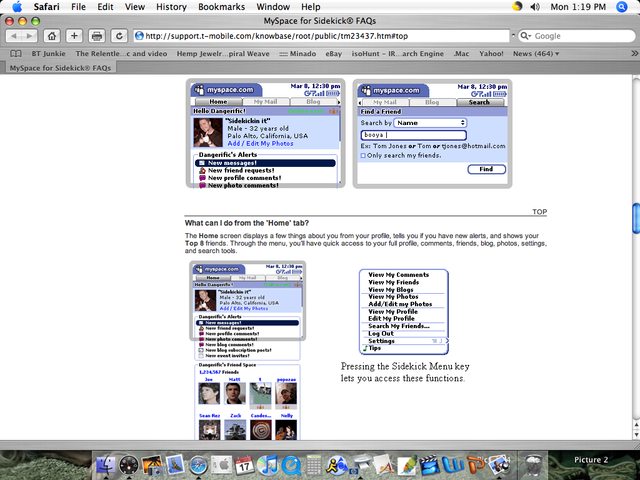
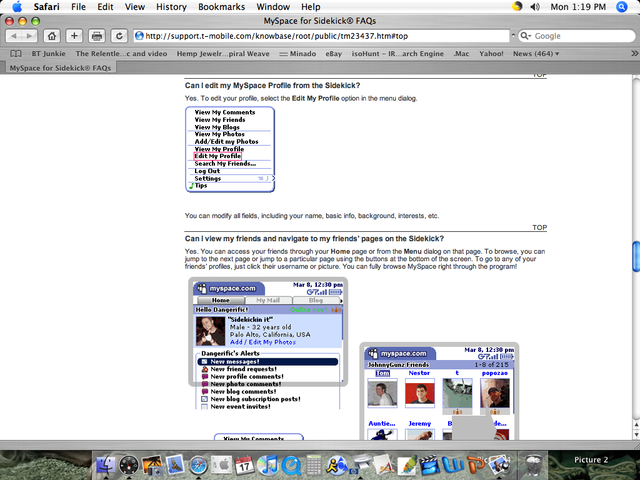
T-Mobile is finally pushing the MySpace app out to users. So far it looks like it’s free and only available to Sidekick iD users. The Sidekick Slide and the Sidekick LX will have the application pre-installed. MySpace is the #1 web page for Sidekick users, so it’s no surprise that they developed an app, probably to help cut down on their bandwidth costs! Here’s a list of the features:

Push messages and notifications – New messages or notifications from MySpace are “pushed” to the device like your @tmail.com email. Instant notification when that spam account wants to add you as a friend.

Persistent login – Using the application keeps you logged in all the time so you don’t have to keep re-entering your login and password.

Profile editing – You can edit your profile through the browser.

Faster content loading – Danger is optimizing the content on MySpace so it loads less data, resulting in quicker load times.

Optimized organization – Tabs are used for quicker access to different sections of MySpace.

Quick view of new account activity – Easily check all new account activity from the Jump screen.

Upload and Download Photos – Upload photos taken with your Sidekick camera directly to MySpace through the application.

Personalized Signature – Tack on a customized signature to your messages to let them know you’re using a Sidekick.

Opera Mini on the Sidekick

Tuesday, August 21st, 2007

Opera Mini on the Sidekick
Opera Mini on Sidekick

Not to be outdone by the Helio Ocean addicts, one intrepid hacker writes us to let us know that the Sidekick (tested on the Sidekick iD and Sidekick 3) is also capable of running Opera Mini and he got it working. Don’t expect to see this in the catalog any time soon though, as it is doubtful T-Mobile would allow it. Currently it’s only available for people in the developer community which you’ll need to be a Java programmer in order to get into. But then again, unlike the Helio Ocean, the Sidekick already has an awesome browser that works and doesn’t really need replacing.

Themes (Backgrounds) available in the catalog

Tuesday, August 14th, 2007

Sidekick backgrounds themes screenshotsidekick backgrounds themessidekick background theme

In addition to free Sidekick 3 themes, T-Mobile has finally included themes in the Download Catalog. This means that you can download a theme direct to your device if you’re willing to shell out $1.99 for the convenience. This also lets Sidekick iD owners customize their devices finally. Sidekick iDs don’t have a memory card, so you can’t load your own custom themes and backgrounds on them like you can with the Sidekick 3. To download themes direct from T-Mobile, check out the Download Catalog. For more information on creating your own custom themes, check out sk3themes.com.

Thanks to Fully for the screenshots

Sidekick LX Screenshot

Sunday, August 5th, 2007

Sidekick LX Sidekick 4 Screenshot

The above screenshot was posted to our forums. Is this an actual screenshot from the Hiptop/Sidekick LX aka the Hiptop 4 aka the Shuriken? It is 400×208 pixels, which matches the dimensions rumored for the new Hiptop. If it is legit, it’s surely an internal OS screenshot since it’s branded Hiptop instead of Sidekick. Then again this could just be someone with too much time and photoshop skills on their hands.

T-Mobile introducing Sidekick MySpace Application

Monday, June 18th, 2007

T-Mobile Sidekick MySpaceT-Mobile Sidekick MySpaceT-Mobile Sidekick MySpace

Some of the guys (Thanks FULLY EQUIPPED and Brandon) over at the MySK4 forums let us know that about information posted on T-Mobile’s site about a possible MySpace application. We gathered some more info from sleuthing users on hiptop.com/forums Unfortunately the page is now coming up as “no longer exists” now, but some screenshots were snagged by abercrombieboy:
T-Mobile Sidekick MySpace AppT-Mobile Sidekick MySpace AppT-Mobile Sidekick MySpace AppT-Mobile Sidekick MySpace AppT-Mobile Sidekick MySpace AppT-Mobile Sidekick MySpace AppT-Mobile Sidekick MySpace AppT-Mobile Sidekick MySpace AppT-Mobile Sidekick MySpace AppT-Mobile Sidekick MySpace AppT-Mobile Sidekick MySpace App

Still don’t believe it?
Search for MySpace
T-Mobile MySpace App

Sidekick 3 OTA 3.4 Rolls

Tuesday, March 20th, 2007


Looks like the OTA is upon us. A couple of good ones in this update. Character count is back in SMS messages, MyFaves support, saving photos, and the ability to download themes from the catalog. Free themes are still possible though.

From Danger’s Help page:
Release 3.4 Over-the-Air Update for Sidekick 3 Users

This Over-the-Air Update contains the following new device features:

* Support for myFaves phone plan – If you sign up for T-Mobile’s myFaves plan, you will see a new “myFaves” application on your device. To add myFaves contacts, go into the application, press MENU and select either Add myFaves Contact (to add a new contact) or Add from Address Book (to add an existing contact). Read more in the myFaves help page.
* Download “themes” from the Catalog – You can use the themes you download as backgrounds to your application splash screens. To apply a downloaded theme as your background, press JUMP to go to the Jump screen. Then press MENU and select Backgrounds. In the submenu that opens, your downloaded themes will appear at the top of the list.
* Save photo attachments – You can save Email photo attachments to your device. To save a photo, open the message then scroll down to the photo attachment you want to save. Scroll down to just below the photo and select the Save to Album button. Your photo is saved to the Device Album in the Camera application.

* Text message character counter – As you compose a text message, you can see a running count of the characters you’ve typed against the message character limit. You’ll also see the number of SMS messages required to send what you’ve typed. For example, if you see “2 140/146” below the message you’re composing, it means you’ve typed enough characters to require two text messages. It also tells you that in the second message you’ve typed 140 characters against the limit of 146 characters.

Note: Not all characters count the same. Some characters count as two and therefore decrease how many characters you’re allowed in any one message. Also, the message limit varies depending on how many messages you’ve typed. Check the count/limit indicator (e.g., 140/146) to see where you stand.

Thanks to Brandon for the heads-up